Editor's choice

4.8
16 reviews
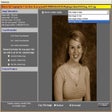
ProShow Gold is a multimedia tool designed specifically for creating professional and high-quality photo slideshows. It lets you combine images, videos, and music into…
Update: Sep 7, 2026 · 369 apps reviewed
Photo slideshow tools turn still images into polished presentations with music, captions, transitions and timing that feels intentional rather than random. The best options make it easy to arrange a story, sync slides to audio, and export in formats that work for sharing online, playing on a TV, or embedding in a larger project. When choosing software, look at template quality, control over motion and effects, support for different aspect ratios, and how much manual editing you want. Strong slideshow creators balance speed for casual users with enough precision for more cinematic results.
16 reviews
ProShow Gold is a multimedia tool designed specifically for creating professional and high-quality photo slideshows. It lets you combine images, videos, and music into…
Choose Softonic on Google and you'll see more of our articles in Top Stories, AI Overviews and AI Mode.
789 reviews
Free slideshow and photo to video maker for creating photo slideshows. Add video clips, music and more.
8 reviews
Photo Slideshow Video Maker with Music is an easy-to-use photo slideshow video maker with music. The app is designed with a clean interface, so…
Proshow Gold Slideshow Maker is a powerful Android app that allows you to create beautiful slideshows with ease. Whether you want to showcase your…
9 reviews
235 reviews
There are a lot of uses for slideshows. They are a quick and easy way to create videos that can commemorate special events by…