Photoshop Alternatives, Plugins & Editing Tools

Update: Sep 7, 2026 · 54 apps reviewed

Photoshop remains the benchmark for serious image editing, from precise retouching and compositing to advanced colour correction and AI-assisted cleanup. The best tools in this space are judged by layer control, mask quality, RAW support, brush performance and how well they handle non-destructive workflows. Some users want a full desktop editor for detailed work, while others need faster tools for background removal, face fixes or social-ready exports. A strong option should balance power with speed, file compatibility and a workflow that fits both casual edits and professional production.

Martin Francis Hernandez

Martin Francis Hernandez

Games & Software Reviewer

Passionate gamer and content writer, Martin specializes in video game reviews and software coverage across commercial, business, and multimedia applications. He helps readers navigate the digital landscape with confidence.

Top programs about Photoshop

  • Editor's choice
    3.6

    39175 reviews

    Pro retouching and AI cleanup in one editor

    • Smart selection tools for precise object isolation
    • Content Aware Fill and Healing Brush for cleanup
    • Layers and masks for non-destructive compositing
    • Export to JPEG, PNG, PSD, and GIF

    Ideal for

    • Portrait retouching for photographers
    • Complex layer-based composites
    • PSD handoff for Adobe workflows
    • Editing Toolkit

      9 / 10
    • AI & Automation

      9 / 10
    • Output & Sharing

      8 / 10
    Adobe Photoshop brings deep retouching, selection, and layer control to serious photo editing, with AI-powered cleanup that speeds up work on busy images. The trade-off is clear: it demands a fairly powerful Mac, but photographers and designers who need precision and Creative Cloud integration will get a lot back.
    Martin Francis Hernandez
  • Choose Softonic on Google and you'll see more of our articles in Top Stories, AI Overviews and AI Mode.

  • 3.6

    3843 reviews

    Enhanced Mobile Integration and Performance Fixes

    • Supports smartphone and tablet apps for on-the-go editing
    • Improves 'Liquify' tool stability, reducing crashes
    • Enables remote connectivity with compatible Adobe apps
    • Fixes bugs in Sharpen and Quick Select functions

    Ideal for

    • Mobile creatives using tablets
    • Photographers needing reliable tools
    • Users integrating Adobe apps seamlessly
    • Editing Toolkit

      9 / 10
    • Output & Sharing

      6 / 10
    • AI & Automation

      5 / 10
    The update enhances mobile functionality and fixes key performance issues, catering to photographers who rely on mobile editing tools.
    Martin Francis Hernandez
  • 4.3

    3 reviews

    Photoshop 7 guidance for new editors

    • Step-by-step tutorials for Photoshop 7 basics
    • Guides for image editing and graphic design tasks
    • Tips for using natural paint tools effectively
    • Free reference app for learning Photoshop workflows

    Ideal for

    • Android learners on a budget
    • Self-taught Photoshop 7 students
    • Reference while practicing on a phone
    • Editing Toolkit

      5 / 10
    • Output & Sharing

      4 / 10
    • AI & Automation

      2 / 10
    The value here is guidance, not editing power: it breaks down Photoshop 7 workflows for newcomers who need a free reference on Android. I’d treat it as a learning companion, since it teaches the basics rather than replacing a full photo editor.
    Martin Francis Hernandez
  • 3.1

    383 reviews

    Advanced Editing Tools for Creative Professionals

    • Comprehensive layer management for intricate edits
    • Wide range of filters for unique effects
    • Detailed retouching and background tools
    • Customizable adjustment options for precision

    Ideal for

    • Graphics professionals on Mac
    • Detailed image retouching tasks
    • Layer-intensive design projects
    • Editing Toolkit

      9 / 10
    • Output & Sharing

      6 / 10
    • AI & Automation

      5 / 10
    This update provides a robust set of editing tools that cater to professional photographers and designers who need detailed control over their images. It's a powerful choice for those working on complex projects requiring layer management and precise adjustments.
    Martin Francis Hernandez
  • 4.4

    71 reviews

    Pro-grade photo manipulation with an endless toolset

    • Layer-based editing for complex composites and retouching
    • Paint and draw with brushes, pens, and pencils
    • High-level photo manipulation for imported images
    • Expansive toolset for detailed image adjustments

    Ideal for

    • Professional photographers
    • Illustrators and digital painters
    • Complex composite projects
    • Editing Toolkit

      9 / 10
    • Output & Sharing

      9 / 10
    • AI & Automation

      7 / 10
    Photoshop CC brings the deepest editing toolkit in this category, from layered composites to advanced retouching and drawing tools. Its power is hard to beat, but the price and learning curve make it a better fit for professionals than casual editors.
    Martin Francis Hernandez
  • 5

    1 reviews

    Transform Your Phone into a Design Powerhouse

    • Vectorize images and icons for easy use in Adobe apps
    • Modify colors and characteristics for tailored designs
    • Create shapes and patterns with intuitive tools
    • Seamlessly export assets to Photoshop and Illustrator

    Ideal for

    • Graphic designers needing flexibility
    • Mobile creatives capturing ideas
    • Illustrators looking for vector tools
    • Editing Toolkit

      7 / 10
    • Output & Sharing

      7 / 10
    • AI & Automation

      5 / 10
    The tool excels at transforming your phone into a creative studio, perfect for designers looking to capture and vectorize ideas seamlessly.
    Martin Francis Hernandez
  • 3.4

    117 reviews

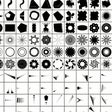
    12,000+ Photoshop shapes for faster composition work

    • Adds more than 12,000 free shapes for Photoshop
    • Expands your design library with ready-made vectors
    • Speeds up layout building for graphics and photo edits
    • Works as a free Windows add-on for Photoshop users

    Ideal for

    • Photoshop designers on Windows
    • Vector-heavy layout projects
    • Free shape library for composites
    • Output & Sharing

      5 / 10
    • Editing Toolkit

      4 / 10
    • AI & Automation

      2 / 10
    The value here is simple: a huge free shape library that gives Photoshop users more material to build with. It suits editors and designers who rely on shapes for composites and layouts, but it is an add-on rather than a full photo editor, so the scope stays narrow.
    Martin Francis Hernandez

Frequently asked questions (FAQs) about this topic

What is Photoshop mainly used for?

Photoshop is used for detailed photo editing, compositing, retouching and graphic design work. It is especially strong for layer-based editing, masks, selections and advanced colour adjustments. Many creators also use it for web graphics, mockups and social media visuals.

Do Photoshop alternatives support PSD files?

Many do, but support varies by feature. Basic opening and editing is common, while complex layer styles, smart objects and adjustment layers may not transfer perfectly. If PSD compatibility matters, check how well the tool preserves layers before relying on it.

Can I edit photos in Photoshop without advanced skills?

Yes, but it has a steep learning curve compared with simpler editors. Beginners usually start with cropping, exposure fixes, filters and basic retouching before moving into layers and masks. A good workflow is to learn one task at a time instead of trying to master every tool at once.

Are there free tools similar to Photoshop?

Yes, there are free editors that cover many common Photoshop tasks such as cropping, retouching and layer editing. They usually offer fewer automation features, less polished AI tools or a simpler interface. Free options are best when you need core editing without paying for a full professional suite.
Signed in to Softonic as